10.1 WiFi Digital Photo Frame: Share Photos in Minutes
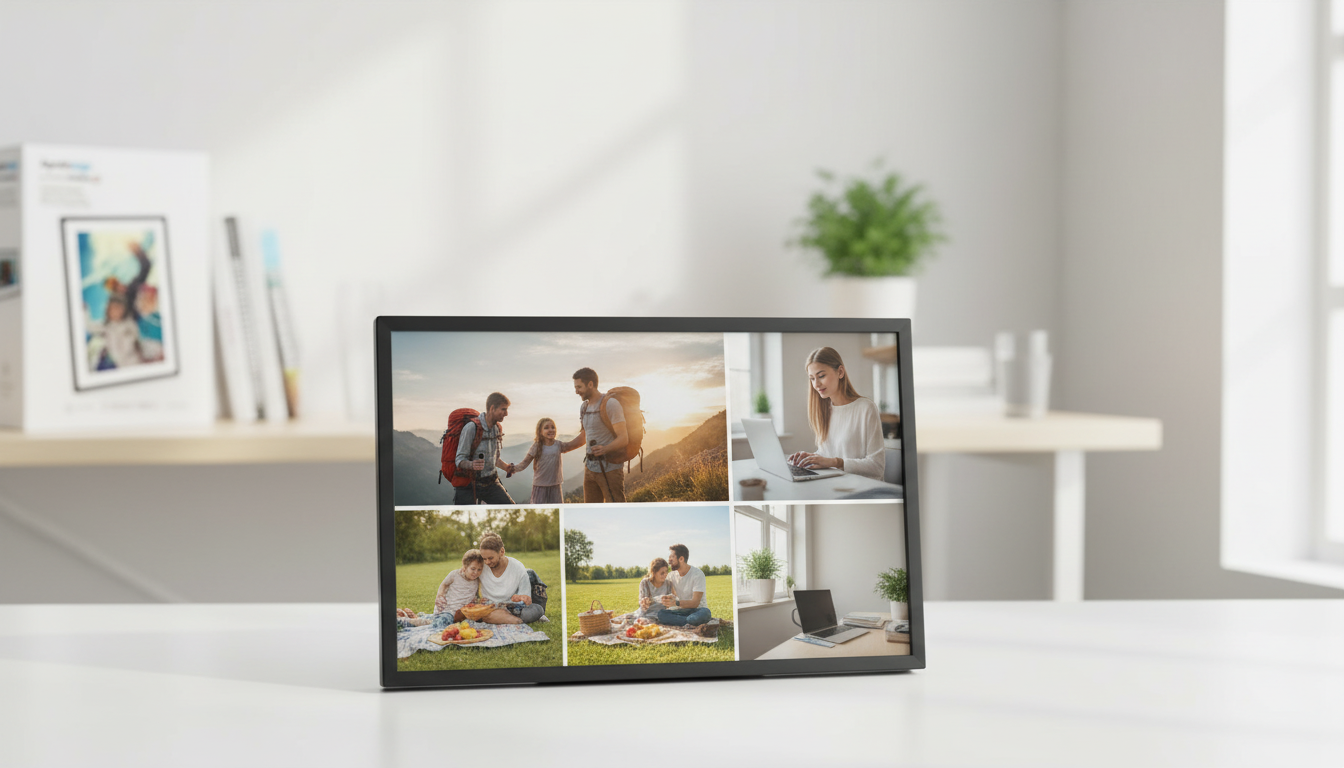
10.1” WiFi Digital Photo Frame: A Simple Way to Share Photos Instantly
A WiFi digital photo frame turns everyday snapshots into a living slideshow that updates from anywhere. Instead of texting photos one by one (and hoping someone saves them), a connected frame can receive new pictures in minutes and keep them on rotation—making it especially useful for families spread across different cities and time zones. Below are the practical details that matter most: display quality, sharing options, privacy, placement, and setup—plus a quick look at a 10.1-inch option built for easy family use and gifting.
What a WiFi digital photo frame does well
A connected frame is designed for low-effort enjoyment. Once it’s up and running, it can feel more like home décor than a gadget—always on, always current, and easy to glance at throughout the day.
- Receives new photos and videos over WiFi so the display stays fresh without swapping memory cards.
- Makes long-distance sharing simple for families, especially grandparents and busy households that don’t want to manage albums.
- Runs continuous slideshows with adjustable timing, transitions, and rotation for portrait/landscape placement.
- Works as everyday décor on a shelf, desk, or kitchen counter—no phone unlocking required.
Key features to compare before buying
WiFi frames aren’t all the same. A few feature differences can decide whether the frame becomes a daily favorite—or something that gets unplugged after the novelty fades.
- Screen size and resolution: A 10.1-inch frame is large enough to see comfortably from across a room while still fitting on smaller surfaces.
- Viewing angles and brightness: Helpful in bright kitchens, sunny entryways, or shaded hallways where glare and dimness can ruin photos.
- Sharing methods: App uploads, email imports, cloud albums, or direct phone sharing—choose what’s easiest for the main user (often the recipient).
- Storage and expansion: Built-in storage helps the frame keep playing even when WiFi is spotty; USB/SD options can reduce reliance on constant syncing.
- Video support: If short clips matter, check supported formats and any length limits.
- Auto-rotate and mounting: A stable stand plus portrait/landscape rotation makes placement flexible; some frames also support wall mounting.
- Privacy controls: Invite-only sharing, account access controls, and the ability to remove content remotely can keep the experience comfortable.
Quick comparison checklist
| Feature | Why it matters | What to look for |
|---|---|---|
| Display | Determines clarity and comfort at a distance | 10.1-inch class screen, solid resolution, wide viewing angles |
| Sharing | Reduces friction for family and friends | Simple app workflow, multiple contributors, remote management |
| Storage | Affects how many memories fit on the device | Adequate built-in capacity, optional USB/SD expansion |
| Placement | Changes how often it’s enjoyed | Stable stand, portrait/landscape rotation, optional wall placement |
| Privacy | Keeps shared photos controlled | Invite-only sharing, account security, easy content removal |
For broader buying considerations and real-world use cases, CNET’s overview is a helpful reference: https://www.cnet.com/home/smart-home/best-digital-photo-frame/.
Spotlight: 10.1” WiFi Digital Photo Frame
If the goal is “set it up once, then enjoy it every day,” a 10.1-inch WiFi frame hits a sweet spot: large enough for shared spaces, compact enough for shelves and desks, and simple to keep updated with new pictures.
- 10.1-inch display size for comfortable viewing in living rooms, kitchens, and offices.
- WiFi-enabled delivery so family and friends can send updates quickly.
- Gift-friendly for birthdays, holidays, graduations, and new-home moments.
- Best for simplicity when the recipient doesn’t want to manage multiple albums across devices.
At-a-glance details
| Item | Detail |
|---|---|
| Product | 10.1” WiFi Digital Photo Frame |
| Price | 79.67 USD |
| Availability | In stock |
| Product page | https://primefavesboom.shop/10-1-wifi-digital-photo-frame/ |
Setup tips for smoother sharing
A great WiFi frame experience is mostly about reducing friction—especially if multiple people will contribute photos.
- Place it where WiFi is strong: Near the router or away from thick walls helps prevent upload delays and missed syncs.
- Create one shared flow: Use a dedicated shared album or invite list so contributors know exactly where to send photos.
- Match slideshow speed to the room: Faster intervals work for gatherings; slower intervals feel calmer for everyday use.
- Turn on auto-rotate when needed: Useful if the frame gets moved between portrait and landscape or used in different rooms.
- Review privacy settings early: Limit who can send photos and keep a simple way to remove anything unwanted.
Where a WiFi frame fits best at home
Placement is underrated. A frame can be perfect on paper but ignored in real life if it’s in a low-traffic corner or too dim to see clearly.
Care, maintenance, and privacy basics
For practical privacy and security basics that apply to shared accounts and connected devices, the FTC’s guidance is a solid starting point: https://consumer.ftc.gov/articles/how-keep-your-personal-information-secure.
More gift-friendly picks to pair with a digital frame
- Wall Mounted Cat Shelves Set for households upgrading their space for pets.
- Wooden Toy Refrigerator Play Kitchen Set with Accessories for Kids for families who want a memorable, screen-free play upgrade alongside the new photo display.
FAQ
Do WiFi digital photo frames need a subscription?
Many WiFi frames work without a subscription for basic sharing and playback, while some brands offer optional paid cloud features. Check what’s included for uploads, storage, and remote sharing before buying.
Can multiple family members send photos to the same frame?
Yes, this is commonly supported through invites or shared albums so several people can contribute. Access controls vary by frame, so set permissions to keep sharing private and manageable.
Will it work without WiFi after setup?
Usually, the photos already saved to the frame can keep playing from internal storage. WiFi is still required for new remote uploads, syncing, and any cloud-based features.











Leave a comment