A cartoon-style instant print camera turns everyday moments into take-home keepsakes in seconds—no phone needed. For many families, it’s a fun middle ground between a toy and a real creative tool: kids get to “make something” they can hold, trade, and decorate. Below is what these cameras do best, who they suit, how kids use the prints day to day, and what to check before buying for a child.
What Makes a Cartoon Instant Print Camera Different
Kids’ cartoon instant print cameras are built around one idea: make photography easy and rewarding for small hands and short attention spans.
- Designed for kids: simple controls, a playful look, and a smaller size that’s easier to grip and carry.
- Instant prints: children can take a photo and get a “take it with you” print right away for crafts, scrapbooks, or quick gifts.
- Creative play built in: kids naturally photograph toys, pets, friends, and surroundings—then use the prints to make mini stories or “albums.”
- A screen-light alternative: it can help families capture memories without handing over a smartphone. For broader guidance on kids and media habits, see the American Academy of Pediatrics resource on screen time guidelines.
For birthdays, trips, playdates, and classroom activities, instant print cameras are a simple way to add an activity that ends with a real result kids can share.
- Best for: parties, travel days, family gatherings, playroom “photo walks,” and screen-free photo fun.
- Why kids enjoy it: immediate results, easy repeat shots, and prints they can hand to someone on the spot.
- A practical gift: it feels like a toy, but it also nudges creativity (captions, collages, “photo diary” pages).
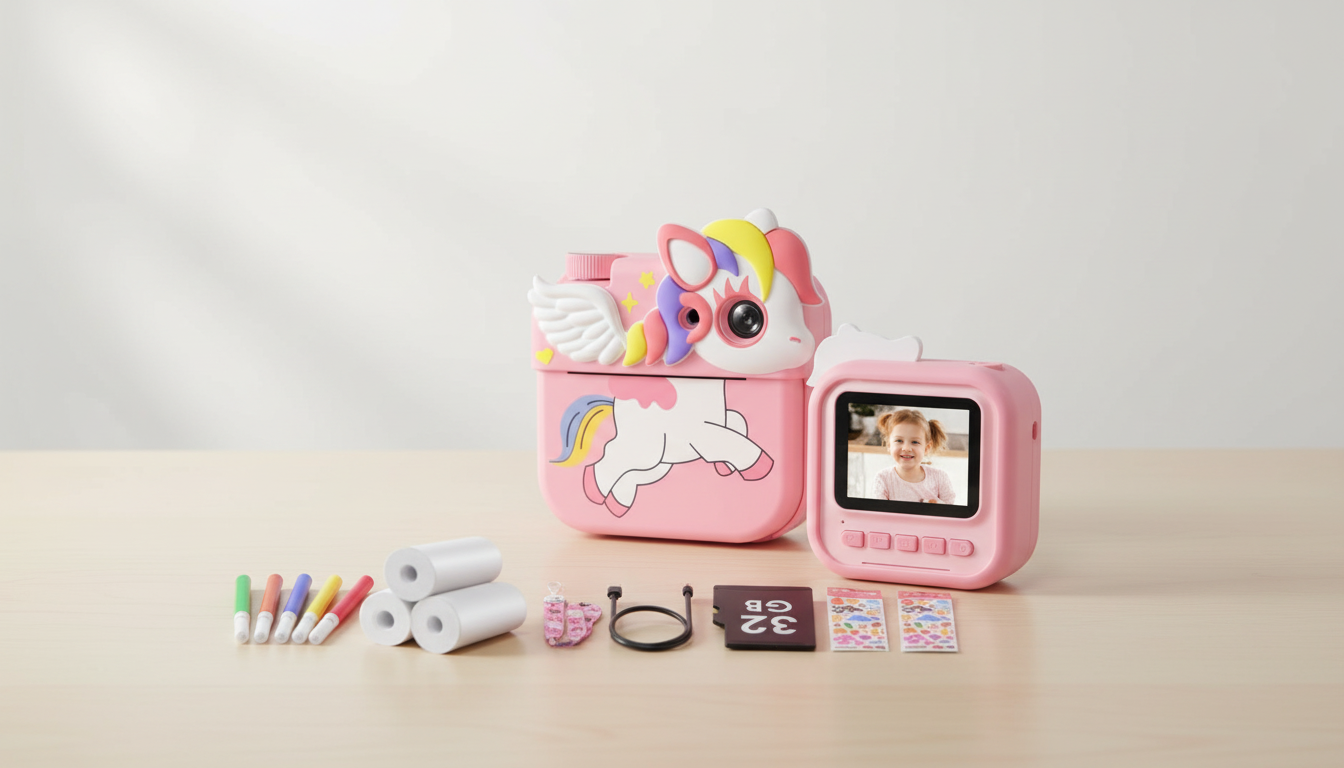
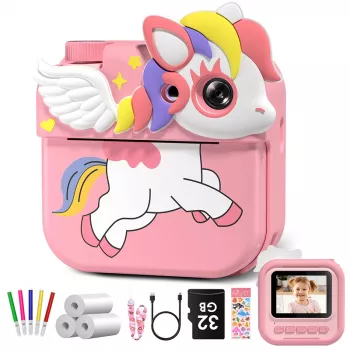
Product snapshot
If the goal is to enjoy prints beyond the craft table, pairing instant snapshots with an easy home display can keep kids proud of their “work.” A simple option is the 10.1” WiFi Digital Photo Frame, which can rotate recent favorites for the whole family to see.
Everyday Ways Kids Use Instant Prints
Instant prints are surprisingly versatile. The best part is how quickly the camera turns “something we did” into “something we made.”
- Memory wall: tape prints to a poster board and add dates, doodles, or sticker borders.
- Party activity: take photos of guests and hand out prints as a simple party favor (kids love trading them).
- Craft time: glue prints into a notebook, decorate with stickers, and write captions like a mini magazine page.
- Learning games: run a “photo scavenger hunt” (find something round, something red, something that starts with “B”).
- Family moments: let kids be the photographer on walks, at picnics, or during holiday prep—then print their top picks.
What to Check Before Buying
Before choosing an instant print camera for a child, focus on the parts that affect day-to-day enjoyment: refills, durability, and how fast the camera gets from “click” to “print.”
- Print method and paper: many kids’ instant print cameras use thermal-style paper (no ink). Plan for paper refills as the main ongoing supply.
- Print cost planning: estimate how many photos your child might print weekly (especially around birthdays and trips) and keep extra rolls ready.
- Ease of use: fewer steps between taking a photo and printing helps younger kids stay confident and independent.
- Durability: kids drop things. Look for a build that can handle bumps and a shape that’s comfortable to hold.
- Charging and battery life: check the recharge type and whether the battery will last through an outing without mid-adventure charging.
- Storage: some models can store photos digitally in addition to printing—handy for keeping favorites even if the paper copy gets lost.
- Safety and age fit: for younger children, avoid tiny removable parts and confirm age guidance. For general toy safety and small-parts considerations, reference the CPSC toy safety guidance.
Tips for Better Prints (and Less Paper Waste)
Instant prints are meant to be fun, not stressful. A few simple habits can make prints clearer while reducing “oops” reprints.
- Teach a quick “frame check”: step back, center the subject, then print. This helps kids avoid cutting off faces or important details.
- Use good light: window light or outdoor shade usually beats dim indoor lighting for clearer prints.
- Create print rules: try “two test shots, then one final print” during outings to keep paper from disappearing too fast.
- Keep prints organized: a small envelope, pencil pouch, or mini album prevents crumpling and lost photos.
- Make it a project: pick a weekly theme (pets, nature, favorite toys, funny faces) so kids stay excited and intentional.
Gift Ideas and Add-Ons That Pair Well
A few small extras can turn a camera gift into a whole creative station—without adding complexity.
FAQ
Does an instant print camera need ink?
Many kids’ instant print cameras use thermal paper, so they don’t require ink cartridges. The main refill to plan for is replacement print paper, since enthusiastic kids can go through rolls quickly.
What age is a kids instant print camera good for?
Many children can enjoy one with help in the preschool range, while early elementary kids often use it more independently. Always check the product’s age guidance and consider small-part safety and supervision based on your child’s habits.
How can prints be kept from fading or getting damaged?
Store prints in a mini album or an envelope and keep them away from heat and direct sunlight. Thermal-style prints can be sensitive to heat, so scrapbooks and notebooks (using tape or glue sticks) help protect them over time.
Recommended for you








Leave a comment